
Both halves of the job, five steps, and the parts you can skip.
A SaaS SEO audit should tell you two things: whether buyers can find your money pages in Google, and whether AI tools like ChatGPT name you when buyers ask about your category. It should include five parts: a map of pages and buyer questions, a test of the AI answers, a classic SEO check, a gap list, and a short fix list ranked by impact. What it shouldn’t include is a 90-page export from a crawler.
That’s the short version. Here’s what each part looks like and what to ask for.
Why a SaaS audit is a different animal
A generic SEO audit treats every URL the same. A SaaS site doesn’t work that way. A handful of pages do most of the selling: pricing, comparisons, alternatives, integrations, use cases and security. A broken link on a 2019 blog post isn’t worth your time. A pricing page that Google can’t index is.
Buyers also research differently now. They ask ChatGPT or Perplexity for a shortlist before they ever reach your site. Google shows AI Overviews on many searches, and AI Mode for longer questions. So an audit that only checks rankings misses part of the picture.
The good news is that the two halves overlap. Google says its AI features have no extra requirements: a page has to be indexed and eligible to show a snippet. OpenAI says ChatGPT search rewrites questions into search queries and sometimes uses outside search providers. Classic SEO work counts twice.
The five steps I’d expect
These are the steps I run in my own audits. Whoever does yours, the report should cover something like each one.
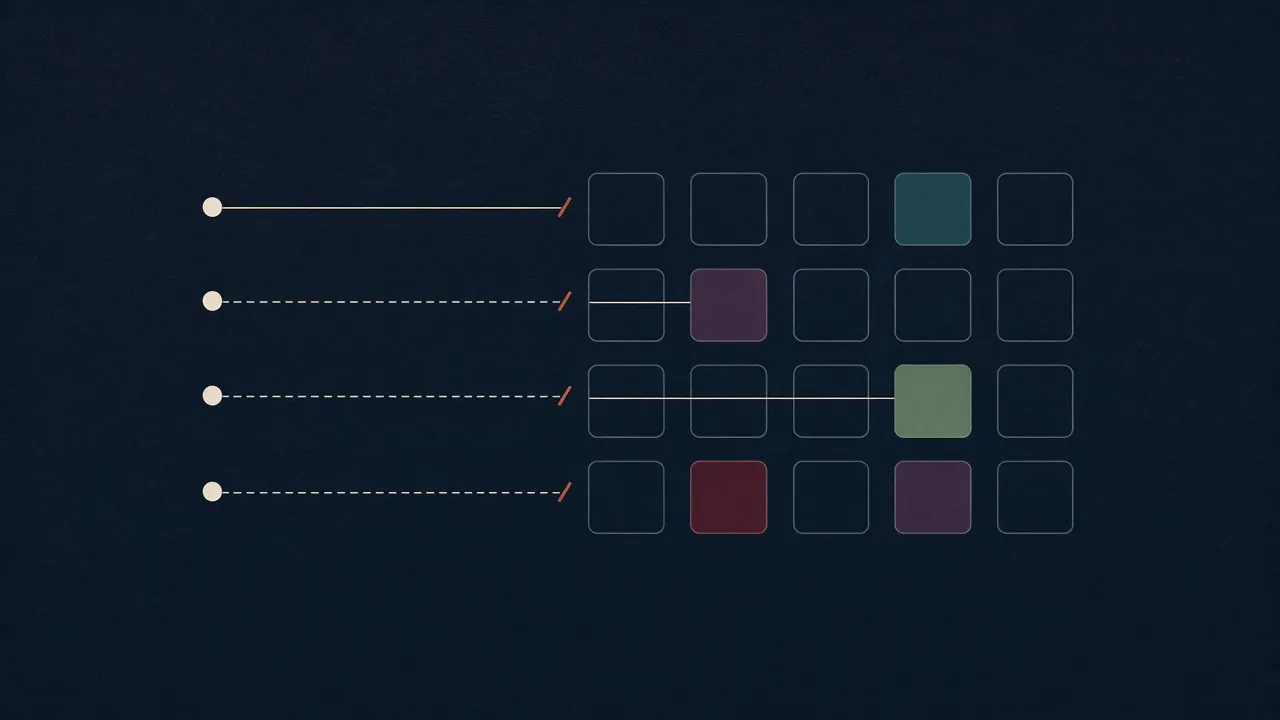
1. Map the pages and the questions
Start with the pages that bring in demos and trials, not the whole site. Then write the questions a buyer would type or ask for each one. Mix three kinds:
- Category questions: “best [category] software for [team or industry]”
- Comparison questions: “[you] vs [competitor]”, “[competitor] alternatives”
- Detail questions: “[you] pricing”, “does [you] integrate with [tool]”, “is [you] SOC 2 compliant”
Pair each question with the page that should answer it. If there’s no page, write that down. It’s already a finding.
For a small example, take this site. My two money pages are the two service sections. The questions buyers would ask include “saas seo audit” (this post), “ai search audit cost” and “b2b saas blog writer”. Each one needs a page that answers it in plain words.
2. Test the AI answers
Run each question in the AI tools your buyers use. For B2B SaaS that usually means Google AI Overviews, ChatGPT and Perplexity at minimum, and often Gemini and others. For each answer, log:
- Were you named?
- Was one of your pages cited? Which one?
- Were the facts right, like pricing, features and who it’s for?
- Which competitors were named, and which pages were cited for them?
Two rules keep this honest. First, run important questions more than once, because answers vary from run to run. Second, log whether ChatGPT searched the web or answered from memory. A miss with search on is usually a page or access problem. A miss with search off is about what the model learned, which is slower to change.
3. Check the classic SEO basics
This is the part every SEO audit has, scoped to the pages from step 1. AI tools lean on the same signals, so it counts twice. What I’d check:
- Indexing. Are the pages indexed? Search Console’s Page indexing report and URL Inspection tool will tell you.
- Crawler access. robots.txt, but also your CDN and firewall. Google says crawling must be allowed by both. OpenAI and Perplexity say the same about their search bots and publish IP lists for firewall rules (OpenAI, Perplexity).
- Rendering. Is the main content in the HTML, or does it only appear after JavaScript runs? Prices and feature tables built in scripts are a common gap.
- Titles, headings and intent. Does the page target the question a buyer asks, in their words?
- Internal links. Do your blog posts link to the pages that sell?
- Canonicals and duplicates. Do near-copies of pages compete with each other?
- Structured data. Is it valid, and does it match the visible text? Google asks for that match.
Two newer checks belong here in 2026:
- Google’s Search generative AI control. It’s in Search Console under Settings. It lets a site opt out of AI Overviews and AI Mode. It’s been available to all sites since August 31, 2026. An audit should confirm it’s set the way you want.
- The AI reports. Search Console’s Generative AI performance report shows impressions in AI Overviews and AI Mode by page. Bing Webmaster Tools’ AI Performance report shows citations in Copilot and Bing’s AI answers. Neither shows everything, but both are first-party data, which beats guessing.
One common mix-up to watch for: some checklists tell you to allow Google-Extended so you show up in AI Overviews. Google’s crawler docs say Google-Extended doesn’t affect inclusion in Google Search. AI Overviews run on Googlebot. If an audit gets that wrong, question the rest.

4. Find the gaps
Now compare. For every question where a competitor was cited and you weren’t, open the cited page and ask what it does that yours doesn’t. The usual answers:
- It answers the question in the first sentence or two. Yours opens with a slogan.
- It has a page for that exact question. You don’t.
- It states facts plainly: prices, limits, integrations, who it’s for.
- Other sites mention it, like review sites, roundups and partner pages. You’re missing from those.
- Its content is in text. Yours is in an image, a PDF or a script.
Sometimes the cited page isn’t a competitor’s at all. It’s a review site, a forum thread or an analyst roundup. That’s still a gap, but the fix is getting onto that page, not rewriting yours. A good audit says which kind of gap each one is.
This is where the audit earns its fee. A crawler can tell you a title tag is long. It can’t tell you why Perplexity cites a competitor’s comparison page instead of yours.
5. Rank the fixes
The output should be a short list you can act on Monday. Each row needs the page, the problem, the fix, and a rough read on impact and effort.
Here’s what a row looks like. This one is hypothetical, for a made-up HR software company:
| Page | Question | What I found | Fix | Impact | Effort |
|---|---|---|---|---|---|
| /pricing | “[brand] pricing” | ChatGPT and Perplexity cite a review site with an old price. The page builds its plan table in a script, so the HTML has no prices. | Put plan names and starting prices in plain text near the top. Add one sentence on how pricing works. | High | Low |
High impact and low effort go first. Things like third-party mentions go on the list too, but with honest timing, because they take months.
A good fix list is short enough to finish and specific enough to hand off.
What to leave out
Plenty of audits are long because length looks like value. Here’s what I’d cut or push to an appendix:
- The raw crawler export. Hundreds of low-severity warnings on pages nobody visits. If the auditor didn’t read it, you shouldn’t have to.
- Sitewide scores with no page behind them. A “visibility score” of 42 tells you nothing unless you can see which questions and answers it came from.
- Keyword lists with no page attached. A list of 500 keywords isn’t a plan. A list of ten questions, each matched to a page, is.
- Schema for its own sake. Google says no special schema is needed for its AI features. Fix the answer on the page first.
- Files nobody has confirmed they read. Google says you don’t need new AI text files for its AI features. If an audit makes llms.txt a top fix, ask what evidence backs that up.
- Advice that fits any site. “Publish more content” or “build authority” isn’t a finding. Every recommendation should point at a page and a question.
- One-shot screenshots. A single answer is an anecdote. Ask for repeated runs on the questions that matter.
What to have ready before an audit
An audit goes faster and lands better when the auditor knows your business. None of this is hard to pull together, and most of it you already know:
- Your money pages. The five to 30 URLs that bring in demos, trials or sales calls. If you’re not sure, check which pages people visit before they convert.
- Your buyers’ questions. Ask sales and support what prospects ask on calls. Those questions are often better than anything from a keyword tool.
- Your main competitors. The two or three names that come up in deals, not the biggest names in the market.
- Your one-sentence positioning. What you are, who it’s for, and the category you want to be found in. The auditor will check whether AI answers describe you that way.
- Known changes. A rename, a new pricing model, a site migration. These explain a lot of odd findings.
- Search Console access, if you’re comfortable. Read-only is enough. It shows indexing issues and your AI Overviews impressions.
- Who can say yes. The person, or the group, who approves changes to the pages on your list.
I learned that last one the slow way. An HR software company I worked at (I’ll call it Folderhaven) asked how its website could bring in more leads. The answer was the messaging: the site didn’t say clearly what the product did or why an HR team should care. I proposed new messaging. Everyone liked it. Then it needed sign-off from several people, a few of them a long way from marketing, and it was still waiting when I left. An audit can’t fix an approval chain. It can be scoped to the pages you’re able to change, so say up front which ones those are.
How often to audit
For most SaaS teams, a full audit once or twice a year is plenty. Run a small check in between: the same set of buyer questions each month, logged the same way. That shows the trend without paying for a full audit every time.
A few events are worth an extra check: a site migration or redesign, a rename or repositioning, new pricing, or a launch into a new category. Each one can break the pages AI tools used to cite.
A redesign can lift a site as easily as sink one. At the B2B SaaS company where I ran marketing for over ten years (I’ll call it Wickerpost), I rebuilt the website and our marketing and sales assets in-house starting in 2019, and it all launched in mid-2020. Over the next two years, sales-qualified pipeline went from about $2.25M to $18.5M, and search brought in about 80% of leads and revenue. Plenty besides the rebuild helped, sales included. But it’s why I’d check the pages that sell before a relaunch, and again after it.
A checklist for comparing audits
Before you buy, ask what you’ll get. A good SaaS SEO and AI search audit should say yes to most of these:
- It names the pages and buyer questions it covers
- It tests named AI tools, not “AI” in general
- It runs key questions more than once
- It records which pages get cited, yours and competitors’
- It flags wrong or outdated facts in AI answers
- It checks indexing, crawler access, rendering and internal links on those pages
- It checks the Search Console generative AI setting
- It compares you with named competitors
- It ends with a ranked fix list, not just findings
- It’s honest about what’s slow, like third-party mentions
Doing it yourself vs. paying for it
You can run most of this yourself if you have a few days and know your buyers’ questions. My free Found and Cited checklist covers 33 checks in a 6-page PDF. It’s a good way to start.
Paying makes sense when you want an outside read, don’t have the hours, or need a fix list you can hand to a writer or developer. Prices run from free tools to five-figure agency projects. I broke down what an AI search audit should cost and what each price level buys.
If the audit finds a missing page, someone has to write it. That’s the other half of what I do: SEO blog posts built to rank in Google and get quoted in AI answers.
If you’re still trying to work out why AI tools skip you, start with why ChatGPT skips your SaaS. It covers the five usual causes.
The audit I run
This is the audit I run, at a fixed price. I’ve spent 15+ years in marketing and search, and I ran marketing at a B2B SaaS company for over ten years, so I build it around the pages that sell. You get the five steps above, by hand: your key pages, your buyers’ questions, the AI tools they use, a classic SEO check, and a fix list ranked by impact. AI tools help me research and draft. I check every answer and edit every line. See the scope and tiers on the AI search and SEO audit page.
Common questions
What should a SaaS SEO audit include?
A map of your money pages and the questions buyers ask, a test of how Google and AI tools answer those questions, a classic SEO check on those pages, a list of gaps against the pages that get cited, and a short fix list ranked by impact and effort.
How is an AI search audit different from a regular SEO audit?
A regular audit checks whether Google can crawl, index and rank your pages. An AI search audit also checks what ChatGPT, Perplexity, Google's AI features and similar tools say when buyers ask about your category, and which pages they cite. The two overlap a lot, because AI answers lean on the same crawlable, indexable pages.
Do I have to give an auditor access to my accounts?
Not for my audit. Most of it uses public pages and public AI answers. Read-only Search Console access helps, because it shows indexing problems and the new Generative AI performance report, but it's optional.
How long does a SaaS SEO and AI search audit take?
It depends on scope. Mine takes 5, 8 or 12 days depending on how many pages and questions are covered. Larger agency audits can take weeks.